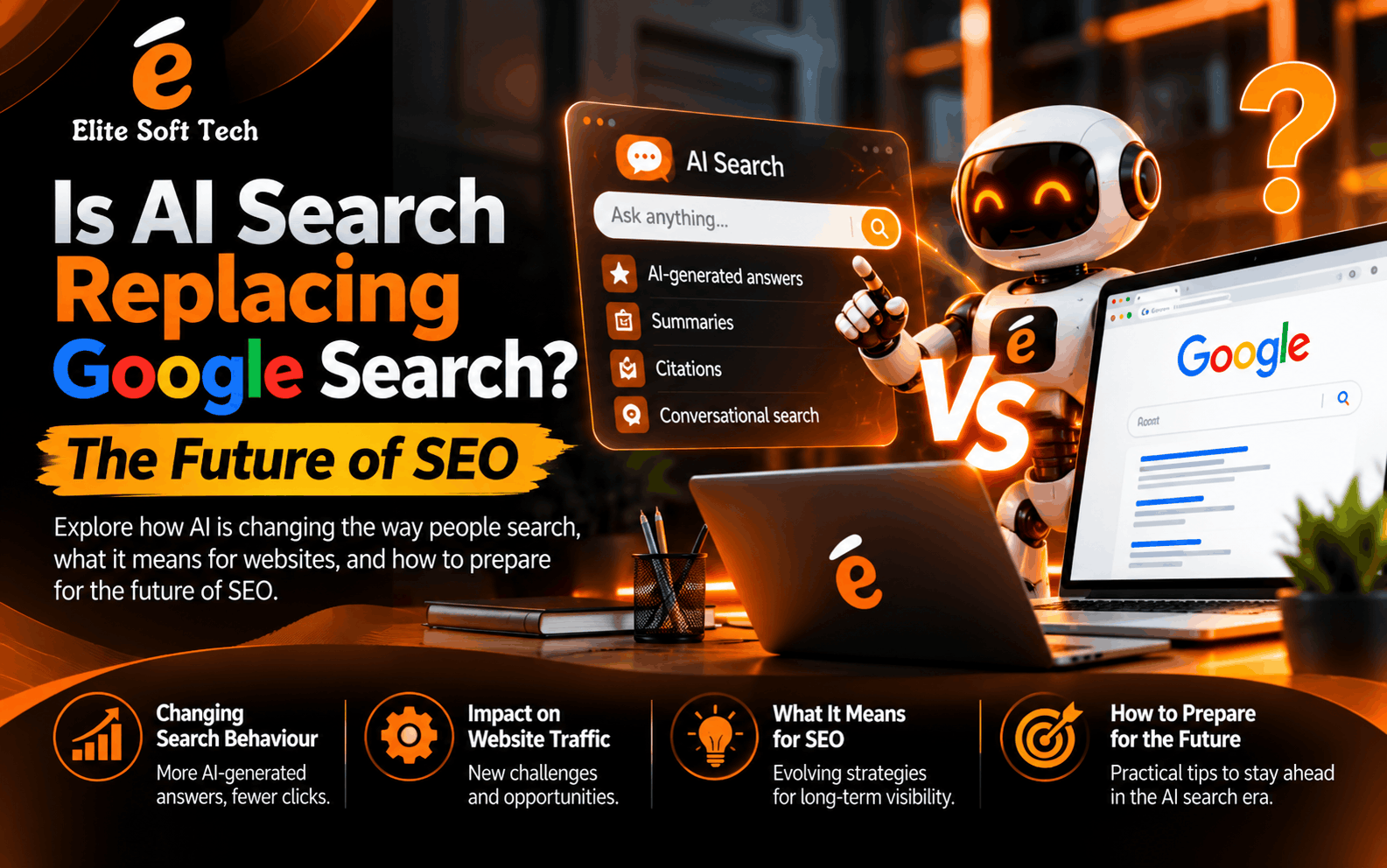
For more than two decades, “just Google it” was the default answer to almost every question. Today, a growing number of people skip the search results page entirely and ask ChatGPT, Perplexity, Claude, or Gemini instead. Google itself now places AI-generated summaries at the top of many results. So the question every marketer, blogger, and business owner is asking is a fair one: is AI search replacing Google Search, and what does that mean for SEO? The short answer is that AI search is not killing Google, but it is permanently changing how people find information and how websites earn visibility. Here is what is happening, why users are making the switch, and how you can prepare. How Search Changed So Quickly Traditional search engines work like librarians pointing you to shelves. You type a keyword, the engine returns ten blue links, and you open several tabs to piece together an answer. It works, but it demands effort. AI search works more like a knowledgeable assistant. You ask a full question in plain language, and the system reads multiple sources, combines them, and gives you one direct answer, often with citations and the option to ask follow-up questions. Instead of researching, you are having a conversation. This shift became mainstream because large language models became good enough to summarize, compare, and explain, and because the tools became free or cheap and easy to access from a phone. Google responded with AI Overviews and AI Mode, which shows that even the market leader believes the old format is no longer enough. Why People Are Changing Their Search Engine to AI Users are not switching because AI is trendy. They are switching because it solves real frustrations with traditional search. 1. Direct answers save time. Instead of scanning ten links, you get a clear response in seconds. For questions like “what is the difference between a Roth and traditional IRA?” or “how do I fix this error message?”, that speed is hard to beat. 2. Conversational, natural queries. You no longer need to guess the perfect keywords. You can write a long, messy, specific question and get a relevant reply. You can also follow up with “explain it simpler” or “give me an example” without starting over. 3. Less clutter. Many search result pages are crowded with ads, sponsored listings, affiliate-heavy articles, and pages written mainly to rank rather than to help. AI tools feel cleaner by comparison. 4. Personalisation and context. AI assistants remember what you said earlier in the conversation and tailor answers to your situation. A traditional search treats every query as a fresh start. 5. Help with tasks, not just information. AI can summarise a long report, compare products, plan a trip, write an email, or generate code. Search engines point you to information; AI tools help you do the work. 6. Synthesis across sources. Research that once took an hour of reading can be condensed into a structured overview, which is especially useful for students, professionals, and busy shoppers. Is AI Search Really Replacing Google? Not entirely, and not yet. It is more accurate to say that search is splitting into different behaviours. Google remains dominant for several types of searches. People still rely on it for navigation (finding a specific website), local results (restaurants and services nearby), shopping, maps, news, and quick facts. These are areas where fresh data, real-time indexes, and location signals matter, and Google has spent years building that infrastructure. AI tools are growing fastest for research, learning, brainstorming, comparisons, coding help, and complex questions that have no single page as an answer. In other words, AI is taking over the kind of searches that used to be frustrating. There are also real limitations. AI systems can produce confident but incorrect answers, which are often called hallucinations. They may struggle with very recent events unless connected to live search. And because they summarise rather than send you elsewhere, it can be difficult to verify claims unless you check the cited sources. The most realistic picture is a blended future. Many people will use both, and the line between a “search engine” and an “AI assistant” will keep blurring as Google adds more AI and AI companies add more live search. How AI Search Is Changing SEO For website owners, the biggest change is the rise of zero-click behaviour. When an AI answer satisfies the user, they have no reason to visit your page. That can reduce traffic for informational content such as simple definitions, basic how-tos, and quick comparisons. At the same time, AI answers cite and recommend sources. Being named in an AI response can be a powerful form of visibility, even if it does not always produce a click. Several shifts follow from this: The Future of SEO: What Will Matter Most SEO is not dying. It is evolving, and it is expanding into what many now call GEO (generative engine optimisation) or AEO (answer engine optimisation). The fundamentals of helping people still apply, but the tactics are shifting. Original value over generic content. Original research, first-hand experience, case studies, unique data, and expert opinion are things an AI cannot invent. These are the assets that get cited. E-E-A-T stays central. Experience, expertise, authoritativeness, and trustworthiness are the signals both Google and AI systems use to decide whom to believe. Real author bios, credentials, sources, and transparent information help. Clear, structured, answer-ready writing. Use descriptive headings, short direct answers near the top of sections, bullet lists, tables, and FAQ sections. Content that is easy for a machine to extract is more likely to be quoted. Structured data and technical health. Schema markup, fast-loading pages, clean site architecture, and crawlable content still matter, because AI systems that browse the web rely on the same foundations. Brand and off-site presence. Mentions on reputable sites, reviews, discussions on communities like Reddit and YouTube, podcasts, and press coverage all shape how AI systems perceive your brand. Think beyond your own website. Multi-format content. Video,
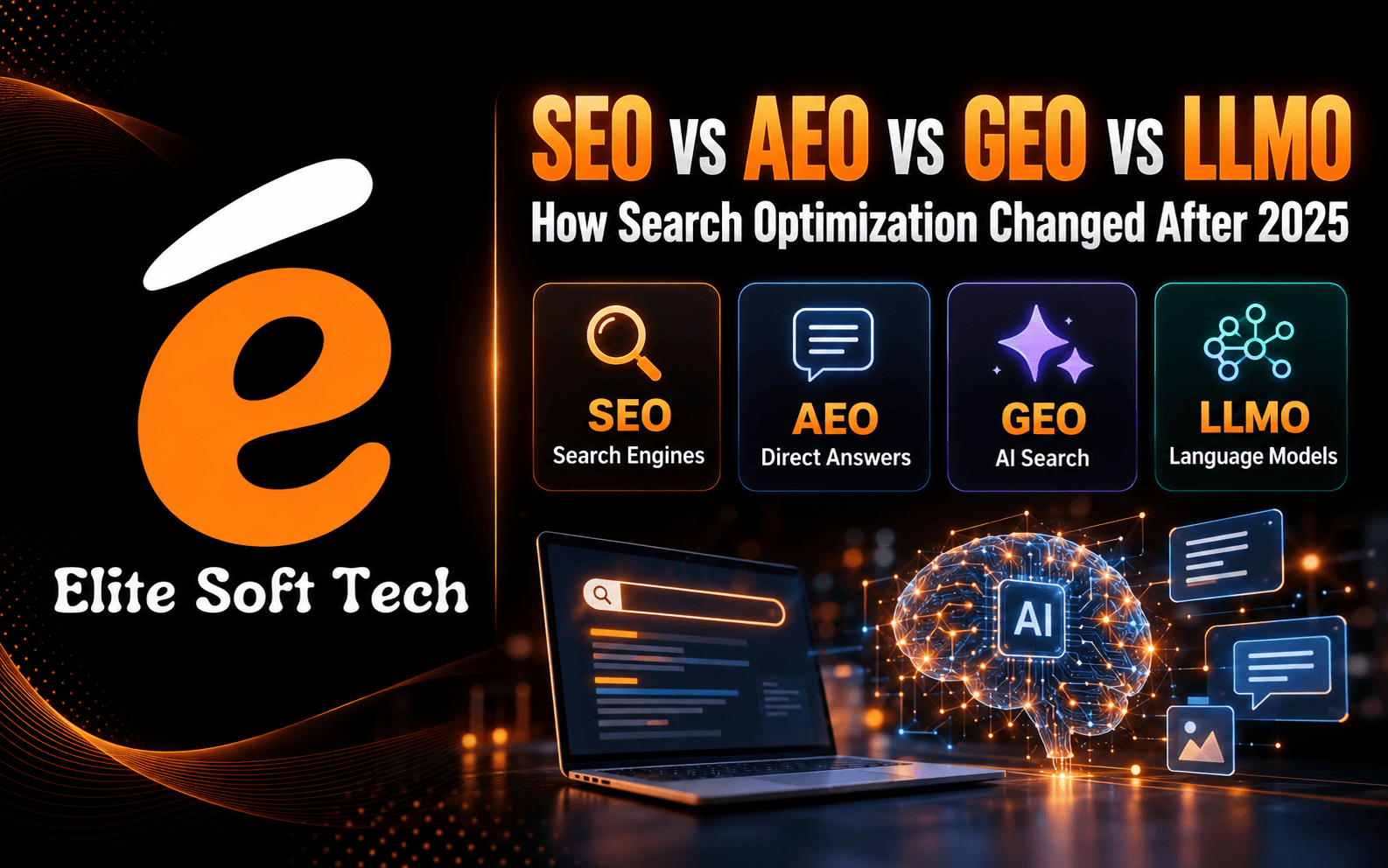
SEO vs AEO vs GEO vs LLMO: How Search Optimisation Changed After 2025
Before 2025, most bloggers worked on only one thing: SEO. Pick a keyword, write the article, build links, and wait for Google traffic. After 2025, that is not enough. People now get answers from Google AI Overviews, ChatGPT, Gemini, Perplexity, Copilot, and voice assistants. Each of these works differently, so new terms have appeared: AEO, GEO, and LLMO. In this guide, I explain each term in simple words, show the difference between SEO before 2025 and after 2025, and give you a practical plan to optimise your blog for everything Before 2025: We Worked Only on SEO SEO (Search Engine Optimisation) means improving your website so it ranks higher in search engines like Google and Bing. Before 2025, the routine looked like this: The result you measured was simple: rankings, clicks, and traffic. One channel, one goal. After 2025: SEO + AEO + GEO + LLMO Search is no longer one box with ten links. Today people ask questions to AI chatbots, read AI summaries on the results page, and use voice search. Your content must work in all these places. Here is what each term means. 1. SEO: Search Engine Optimisation SEO is still the foundation. It helps your pages get crawled, indexed, and ranked. Good keywords, quality content, internal links, fast loading, and mobile-friendly design still matter. AI tools often pull from pages that already rank well, so weak SEO weakens everything else. 2. AEO: Answer Engine Optimisation AEO means optimising your content so it becomes the direct answer to a question. This covers featured snippets, “People Also Ask” boxes, AI Overviews, and voice assistants. How to do AEO: 3. GEO: Generative Engine Optimisation GEO means optimising your content so generative AI tools mention or cite your brand in their answers. Tools like ChatGPT, Gemini, Perplexity, and Google’s AI Overviews generate a response by combining information from many sources. GEO helps you become one of those sources. How to do GEO: 4. LLMO: LLM Optimisation LLMO (also called AI optimisation or AIO) focuses on how large language models understand your content and your brand. LLMs learn from the web and also retrieve live pages when answering. If your brand is mentioned often, clearly, and positively across trusted places, models are more likely to recommend you. How to do LLMO: 5. Other Terms You May See Some of these terms overlap, and the industry has not fully agreed on the definitions yet. The practical idea is the same: be useful, clear, trusted, and easy for both humans and machines to understand. Quick Comparison: Before 2025 vs After 2025 Area Before 2025 After 2025 Optimization focus SEO only SEO + AEO + GEO + LLMO Where users search Google, Bing Google, AI Overviews, ChatGPT, Gemini, Perplexity, voice, YouTube Content style Keyword-focused, long Answer-focused, clear, original Main goal Rank #1 and get clicks Rank, get cited, and build brand Authority Backlinks Backlinks + brand mentions + E-E-A-T Key metric Rankings and traffic Traffic, impressions, citations, brand searches Content format Mostly text Text, video, FAQ, tables, data Why This Change Happened 1. AI answers on the results page. Google AI Overviews and AI chatbots give summaries directly, so users often do not need to click. 2. Zero-click searches. For simple questions, many people get the answer and leave. Basic “what is X” content loses clicks first. 3. Quality and trust. Google continues to push against low-value, mass-produced content. Experience, expertise, authoritativeness, and trust (E-E-A-T) guide how quality is judged. 4. New search habits. Younger users ask full questions to AI tools, use video platforms, and trust community discussions. A Practical Plan for Bloggers (All-in-One Strategy) Step 1: Fix your SEO foundation Do keyword research based on search intent. Use a clear title, a unique meta description, clean permalinks, internal links, and image alt text. Submit your sitemap in Google Search Console and Bing Webmaster Tools. Step 2: Write for answers (AEO) Start every section with a direct answer, then explain. Add FAQs to every post. Use headings that match real questions people ask. Step 3: Add original value (GEO) AI tools can summarise what is already everywhere. They have a reason to cite you only when you add something new: your own tests, screenshots, case studies, numbers, or opinions from real experience. Step 4: Build your brand (LLMO) Create a strong About page and author profile. Be active on YouTube, LinkedIn, X, Reddit, and Quora. Aim to have your blog name mentioned in helpful contexts, not spam. Step 5: Use clear structure Use H2 and H3 headings, short paragraphs, bullet points, and tables. Clear structure helps readers, snippets, and AI systems pull the right part of your page. Step 6: Consider schema markup Structured data such as Article, FAQ, and Author helps search engines understand your page. Note that Google now shows FAQ rich results only for a limited set of sites, but the markup can still help with clarity. Blogger has limited built-in support, so you may need to add it manually to your theme or post HTML. Step 7: Allow AI crawlers deliberately Check your robots.txt. If you want AI tools to read and cite your content, do not block their crawlers by mistake. If you prefer to restrict some of them, make that a conscious choice. Step 8: Improve speed and mobile experience Use a lightweight Blogger theme, compress images, limit widgets, and keep ads from pushing content down. Most readers are on mobile. Step 9: Update content regularly Refresh top posts with new facts and examples. Fresh, accurate content is more likely to be trusted by both search engines and AI tools. Step 10: Track the right numbers Along with clicks and rankings, watch impressions, branded searches, and referral traffic from AI tools in your analytics. Occasionally ask AI tools questions in your niche and check whether your site appears. Mistakes to Avoid Final Thoughts Before 2025, bloggers focused on one task: SEO. After 2025, the work expanded to SEO, AEO, GEO, and LLMO, but the core
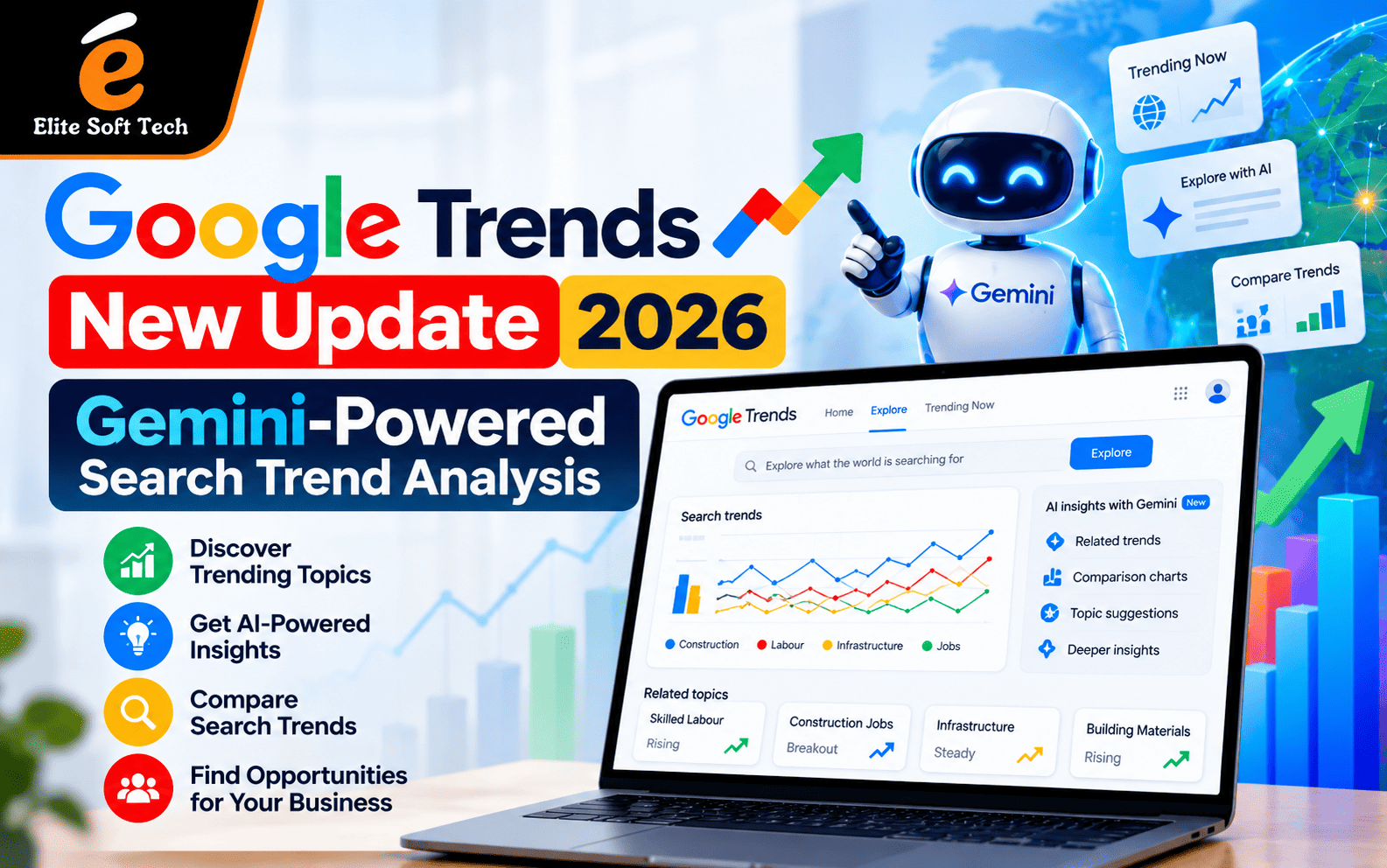
Google Trends New Update 2026: Gemini-Powered Search Trend Analysis
If you have ever stared at a Google Trends graph and wondered what to compare it with, this update is for you. Google has added Gemini to the Trends Explore page, so the tool now helps you decide what to look at as well as showing you the numbers. Below is what changed, why it matters for SEO, and how to turn it into a content advantage. What Is the Google Trends New Update 2026? Google Trends has long been a free way to see how interest in a topic rises and falls over time, across regions and categories. The latest update adds Gemini AI to the Explore page. Google says the page now helps users identify and compare trends automatically based on search queries. The revamped tool is rolling out on desktop, with a dynamic side panel powered by Gemini at its heart. Before this update, finding related terms to compare was manual work. You guessed, tested, adjusted and repeated. Now the Gemini side panel suggests terms and angles worth exploring, which cuts the research time considerably. Key Features of Gemini-Powered Search Trend Analysis 1. Automatic term suggestions. Type in a topic and Gemini proposes related terms to compare. This automation addresses a longstanding workflow friction in trend analysis. For beginners, it removes the “what do I compare this with?” problem. ppc 2. Easier-to-read comparisons. Each search term now appears with its own icon and colour, which helps when several trend lines overlap on the graph. 3. Room for bigger comparisons. The updated interface suggests Google expects people to ask richer questions that involve several competing or complementary topics at once. 4. Context around the data. Rather than only plotting a line, the AI layer helps explain connections between topics. That matters because a spike on its own tells you very little. Knowing what is driving it tells you whether to act. 5. Desktop first. Google has not yet announced a timeline for the mobile rollout. For now, plan your trend research sessions on a laptop or desktop. Why This Update Matters for SEO Search behaviour changes quickly. Topics surge around festivals, product launches, policy changes, sports events and news cycles. Content published after the peak often fails to capture that demand. AI-assisted trend analysis helps in four ways: Google Trends shows relative interest, not exact search volume. Think of it as a direction finder. It tells you where attention is heading, and you still need other tools to estimate size and difficulty. How to Use Gemini-Powered Google Trends Step by Step You can try the real-time view yourself with this Google Trends Explore example for “seo” in India. It shows interest over the past day for one query in one country, which is a good way to see how fast things can move. Here is a simple workflow: Step 1: Start with a seed topic. Enter a core term such as “seo”, “digital marketing” or your product category. Step 2: Set the right filters. Choose the country, time range and category. Use “past 24 hours” or “past 7 days” for breaking interest, and “past 12 months” or “past 5 years” for seasonality. Step 3: Let Gemini suggest comparisons. Review the suggested terms and keep the ones that match your audience’s intent. Step 4: Check related queries and topics. Look at “Rising” and “Top” lists. Rising queries are early opportunities. Top queries show established demand. Step 5: Validate with other data. Cross-check with Google Search Console, your analytics and a keyword tool before committing resources. Step 6: Turn insights into a content calendar. Match each trending topic to a page type (guide, comparison, FAQ, news explainer) and a publish date. Practical Use Cases Content marketers can pick blog topics based on rising interest instead of intuition, and update older posts when a topic is climbing again. Ecommerce teams can compare product names or categories to see which are gaining momentum before a season, and adjust stock, ads and landing pages accordingly. Local businesses can find which services people in their city search for more at certain times of year, then build service pages to match. Agencies and consultants can use trend charts in client reports to justify why a topic deserves investment, with evidence that is easy for non-specialists to understand. Tips to Get More Out of the Update Limitations to Keep in Mind The Gemini layer makes research easier, but it is not a complete SEO solution. The system cannot yet handle complex comparative analysis that needs several filtering dimensions at once. Trends data also depends on Google search activity, so very niche topics may not show enough volume to appear. AI suggestions can reflect assumptions too, so treat them as prompts for your own judgement. Finally, a trend is not the same as a ranking. Spotting a rising topic gets you to the starting line. To win, you still need quality content, clean technical foundations, strong internal linking and credible authority. Turning Trend Data into Results Trend research works best when it feeds a wider strategy: keyword mapping, on-page optimisation, technical health and link earning. If you want expert help building that system around the insights you find, a professional SEO services team can connect trend data to a measurable growth plan. Final Thoughts The Gemini-powered Google Trends update lowers the barrier to trend analysis. Suggestions, clearer comparisons and added context mean less time guessing and more time acting. Marketers who build a regular habit of checking trends, validating them with other data and publishing helpful content quickly will be in the best position to benefit. Frequently Asked Questions (FAQs) 1. What is the new Google Trends update in 2026?It is the addition of Gemini AI to the Google Trends Explore page. The AI helps suggest and compare search terms and gives context around trends, so research is faster and easier. 2. How does Gemini improve search trend analysis?Gemini suggests related terms to compare, so you no longer need to guess manually. This helps you find
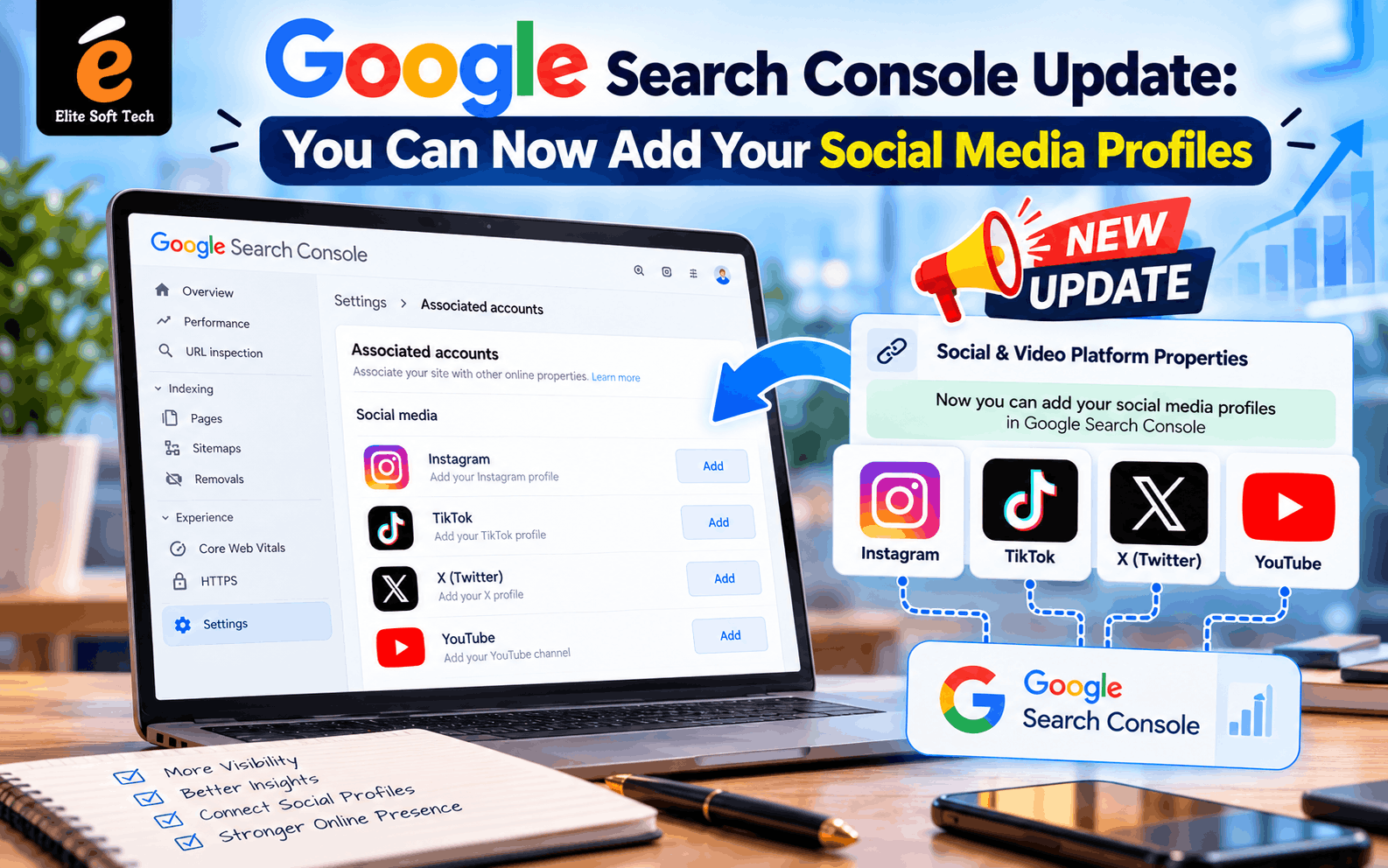
Google Search Console Update: You Can Now Add Your Social Media Profiles
For years, Google Search Console (GSC) answered one question: how does my website perform in Google Search? If your audience found you through an Instagram Reel or a YouTube video, Search Console couldn’t tell you. That gap has now closed. On July 7, 2026, Google announced platform properties, a new property type that lets you add an Instagram, TikTok, X, or YouTube account directly to Search Console. This post covers what the update is, how to connect your profiles, why it matters, and the questions people ask most. What Is the Social Media Update in Search Console? The new feature is called Platform Properties. It is a property type built for supported social and video platforms, and it shows which posts appear in Google Search, which queries drive visibility, and how each piece of content performs over time. Until now you could only add website domains or URL prefixes. Now you can verify a social account the same way and get search analytics for the content you publish there. Supported platforms at launch: Facebook, LinkedIn, Pinterest, Threads, and Reddit are not supported at launch, though Google’s framing suggests the list may grow. How This Differs From Earlier Experiments This isn’t the first time Google has tested social data in Search Console. In December 2025, Google ran a limited “social channels” feature that auto-detected social accounts and pulled basic data into a website’s Insights report. The July 2026 update is a full property type with its own reports, and it covers Google Search, Discover, and Google News, not just Search. It is also separate from Search profiles. A Search profile is a shareable page that consolidates a creator’s content for followers, while a platform property focuses on analytics, showing how those posts perform in Search. How to Add Your Social Media Profiles to Search Console Tips Before You Start What Data Will You See? A platform property works like a standard Search Console property, but it is tailored to social and video content. You can expect to find: Together these show which topics, formats, and keywords make your social content discoverable through Google, not just inside the app. Key Benefits of Adding Social Profiles 1. A more complete view of brand visibility Your audience doesn’t only find you through your website. A Reel might rank for a query while your blog post doesn’t. Seeing both in one place shows how your brand appears across Google. 2. Keyword insights for social content Social teams often pick captions and hashtags by instinct. Search Console shows the actual queries people typed before landing on your post, which gives you data to write better titles, captions, and descriptions. 3. Smarter content strategy One early analysis noted that if certain queries perform better on social than on-site, content priorities can shift accordingly. You might learn that a topic works better as a short video than as an article, or the other way round. 4. A win for creators without websites The feature is available even to creators who don’t have their own websites. Small creators and influencers can get professional search analytics without building a site first. 5. Proof of performance for partnerships Impressions and clicks from Google Search are concrete numbers to show sponsors and brand partners. One creator who connected an Instagram account reported 245,000 impressions and 1,100 clicks in under three weeks. Results like that are one person’s experience and won’t be typical for everyone. 6. Better attribution Marketers have long struggled to connect search behavior with social discovery. Platform properties help show where people first met your brand. Manage Your Expectations This update is useful, but it isn’t magic: How to Get the Most Out of the Data Frequently Asked Questions Do I need a website to use this feature?No. Platform properties work even if you don’t own a website, so creators can connect their social accounts on their own. Which social platforms can I add?Instagram, TikTok, X, and YouTube. Facebook, LinkedIn, Pinterest, Threads, and Reddit aren’t supported at launch. Is it free?Google Search Console is a free tool, and I haven’t seen any charge for platform properties. Can I add more than one account?Yes. You add each account as its own property, so a brand can connect several channels. Will connecting my profile improve my rankings?Not directly. The feature is about reporting and analytics, not a ranking boost. Better insights can help you improve your content, and that may improve performance over time. How long until data appears?It varies. Some creators report seeing impressions within a day, while others need a little longer, depending on how much of your content Google surfaces. I can’t see the “Add property” option for social platforms. What should I do?Confirm you’re signed in to the right Google account, refresh, and try again later. Google described the rollout as gradual, so availability may differ between accounts. What’s the difference between a platform property and a Search profile?A Search profile is a public page that gathers a creator’s content for followers. A platform property is a private analytics view for you or your team. Is my private content exposed?No. Only publicly available content is tracked. Does it include Google Discover data?Yes. Reports cover Search, Discover, and Google News where your content appears. Final Thoughts Search Console now recognizes that discovery doesn’t stop at your website. By adding your Instagram, TikTok, X, or YouTube profiles, you get a clearer view of how your content appears in Google, which queries bring people in, and where to focus next. The setup takes only a few minutes: open Search Console, choose Add property, pick your platform, and authorize the connection. Even if the results start small, that data will help you make better content decisions.
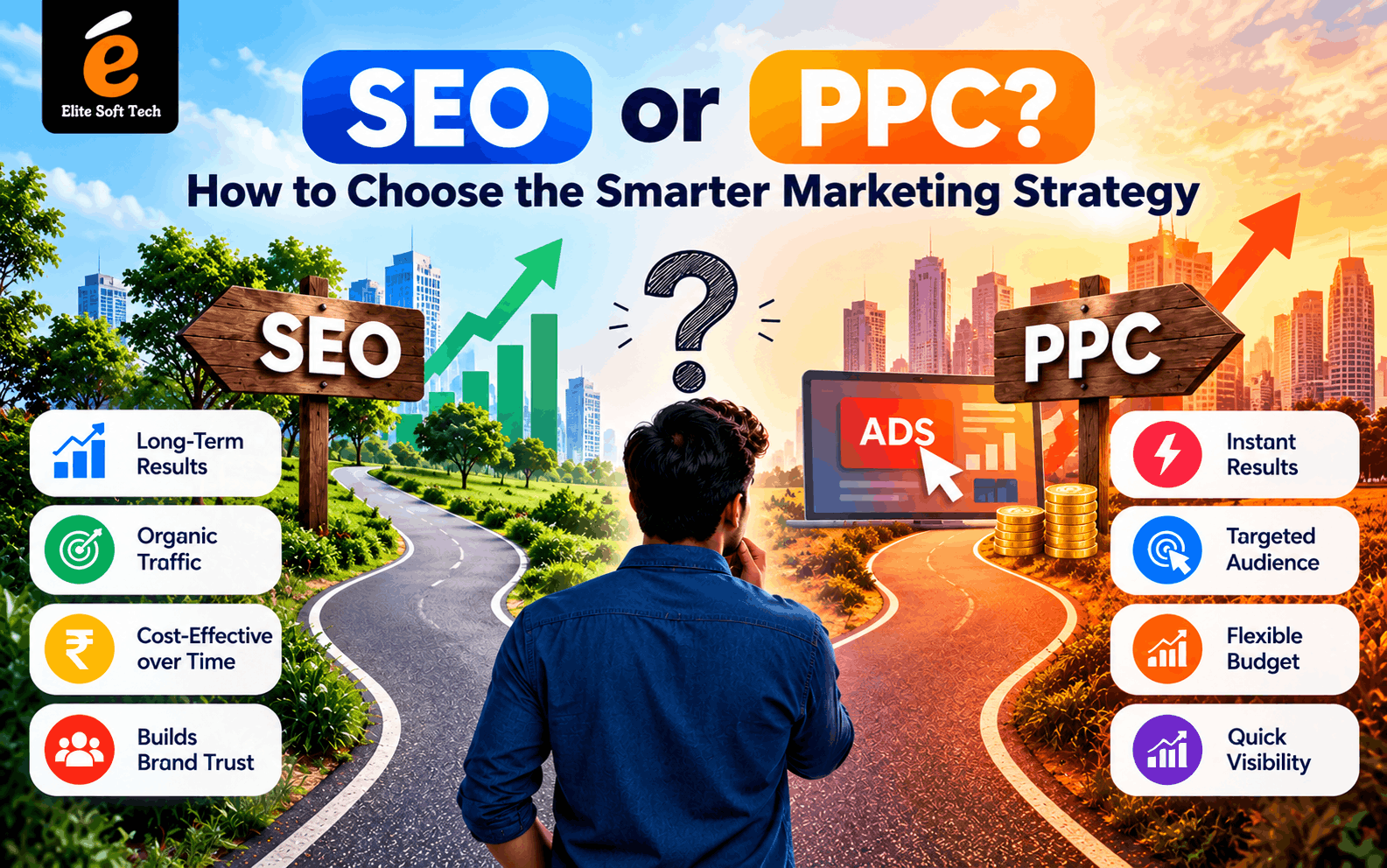
SEO or PPC? How to Choose the Smarter Marketing Strategy
If you’ve ever tried to get more visitors to your website, you’ve probably run into this question: should you invest in SEO or PPC? Both put your business in front of people who are actively searching, but they work very differently, cost differently, and pay off on different timelines. Picking the wrong one for your situation can burn through budget fast. What Is SEO? Search Engine Optimization (SEO) is the practice of improving your website so it ranks higher in organic (unpaid) search results. That includes: The upside: You don’t pay per click, and the traffic compounds. A well-ranking article can bring in visitors for years. The downside: It’s slow. Most sites need 3 to 6 months (often longer in competitive niches) before seeing meaningful results, and rankings can shift when search engines update their algorithms. What Is PPC? Pay-Per-Click (PPC) advertising means paying to show ads at the top of search results, usually through platforms like Google Ads or Microsoft Advertising. You bid on keywords, and you’re charged each time someone clicks your ad. The upside: It’s fast. You can launch a campaign today and get traffic within hours. You also get precise control over who sees your ads, by keyword, location, device, time of day, and audience. The downside: The traffic disappears when the budget does. And as competition rises, so does the cost per click. SEO vs PPC at a Glance SEO PPC Speed Slow (months) Fast (hours to days) Cost Time and effort upfront; no per-click fee Pay for every click Longevity Long-lasting Stops when spending stops Trust Users often trust organic results more Labeled “Ad”; some users skip them Control Less predictable Highly targeted and measurable Best for Long-term growth Quick results and testing How to Choose: 5 Questions to Ask 1. How fast do you need results?If you’re launching a product, running a seasonal sale, or need leads this month, PPC gets you visible quickly. If you can wait, SEO is the better long-term investment. 2. What’s your budget?A tight budget doesn’t automatically mean SEO. It’s “free” traffic, but it costs time or money for content and expertise. PPC requires ongoing ad spend. Compare what you can commit to over 6 to 12 months, not just this month. 3. How competitive is your industry?In highly competitive fields (legal, finance, insurance), clicks can be very expensive, which makes PPC costly and SEO valuable. In less competitive niches, PPC can be surprisingly affordable. 4. What’s the lifetime value of a customer?If a single customer is worth a lot to you, paying for clicks can make sense even at a higher cost. If your margins are thin, the lower long-term cost of SEO becomes more attractive. 5. Do you already have a website with content?A new site with no authority will struggle in SEO at first. PPC can bring traffic immediately while your organic presence grows. Quick Guidance by Situation The Smartest Answer: Use Both The truth is that SEO and PPC aren’t really rivals. They work best together: Final Thoughts There’s no universal winner. The smarter strategy is the one that fits your timeline, budget, and goals. If you need speed, lead with PPC. If you’re playing the long game, lead with SEO. And if you can, combine them: use PPC to get results today while SEO builds an asset that keeps working for you tomorrow..
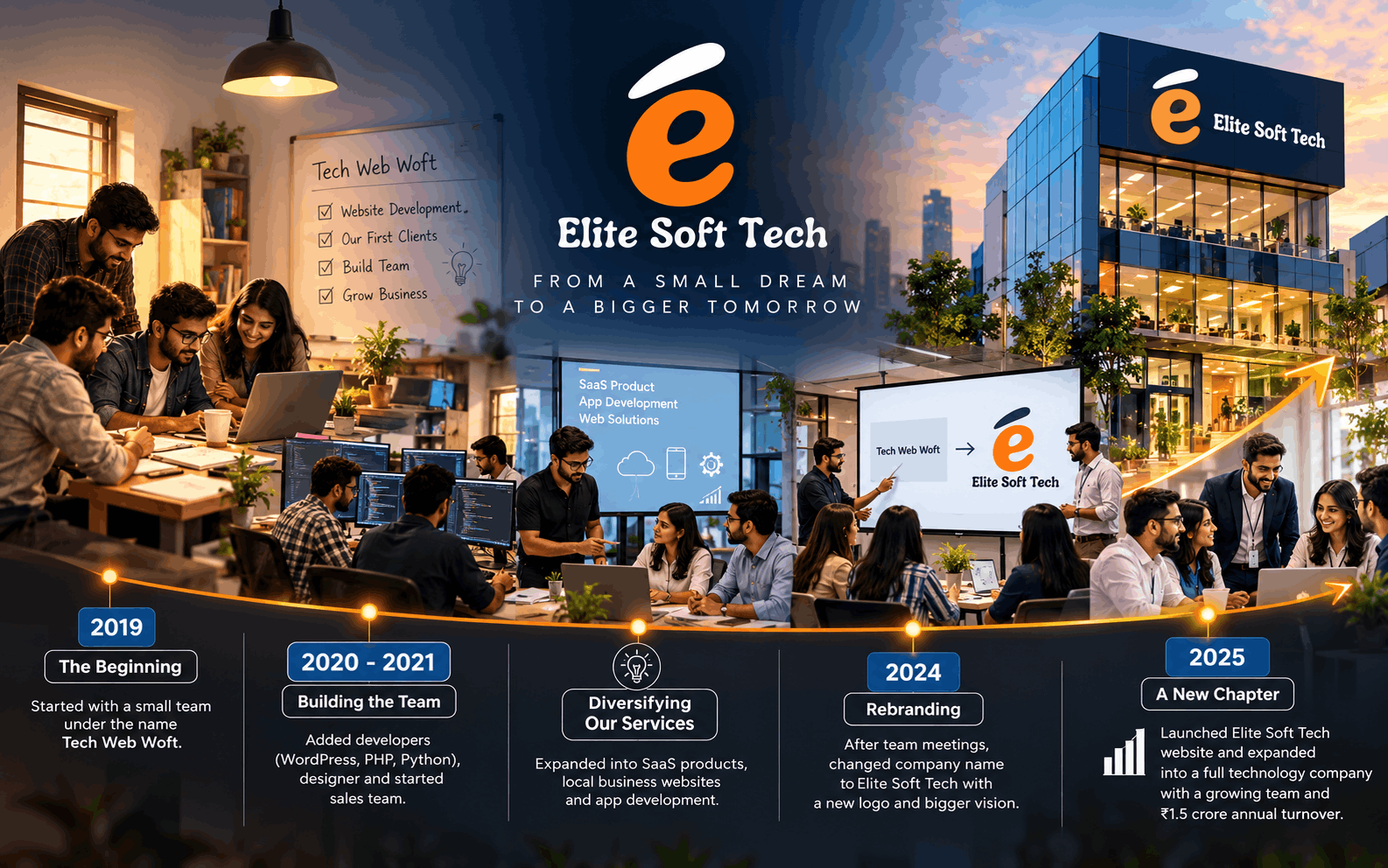
From a Small Dream to Elite Soft Tech: A Journey of Grit, Growth, and Reinvention
The Beginning – 2019 Every big company has a small, humble beginning, and this one started in a modest office with just a handful of people who believed in one thing: that good work speaks for itself. It was early 2019. A young entrepreneur, driven by the growing wave of digital transformation in India, sat down with two close friends over cups of chai and sketched out an idea on a notebook page. The internet was changing everything – small shopkeepers were moving online, businesses needed websites, and technology was no longer a luxury but a necessity. He saw an opportunity, but more importantly, he saw a gap: many small and medium businesses around him had no access to affordable, quality web development services. That night, the idea for a web development company was born. Within a few weeks, the founder called a small team meeting – not in a fancy boardroom, but in a rented one-room office with just three computers, a shared internet connection, and a whiteboard that still smelled of fresh paint. Around eight people sat around that table: two developers, one designer, and a few multi-tasking members who would handle everything from client calls to content writing. They decided on a name – Tech Web Woft – a name that felt modern, tech-forward, and easy to remember. It wasn’t the most polished name, but at that point, it wasn’t about branding. It was about survival, hustle, and proving that they could deliver. The Early Struggles The first year was far from glamorous. The team worked out of a small space, often working late nights to complete projects for local businesses – a bakery that needed a website, a small trading company that wanted an online catalogue, a local NGO that needed a simple portal. Every project, no matter how small, was treated like it was the most important contract in the world. Turnover in that first year was modest – around ₹6 lakhs annually. It was barely enough to cover salaries, rent, and basic expenses, but the team didn’t measure success only in rupees. They measured it in client trust, referrals, and the quiet satisfaction of watching a business go from having no online presence to suddenly getting inquiries through their new website. The founder often reminded the team in those early meetings: “We are not just building websites. We are building someone’s dream online.” That philosophy stuck. It became the invisible thread that would carry the company through the next several years. Building the Team, One Skill at a Time By 2020 and 2021, the company began adding new capabilities. It wasn’t a sudden explosion of growth – it was steady, deliberate expansion. The founder understood that to grow beyond small websites, the company needed specialized skills. They hired a WordPress developer to handle quick business websites and e-commerce stores. Soon after, a PHP developer joined to build custom web applications for clients who needed more than a template could offer. As Python’s popularity grew in the industry – especially for automation, data-based tools, and backend systems – the company brought in Python developers to handle more advanced projects. Around the same time, they realized that simply building great products wasn’t enough – clients needed to find them first. That’s when the sales team was formed, a group whose sole job was to go out, meet potential clients, understand their pain points, and bring in new business. This was a turning point. Where earlier the founder himself was doing most of the client acquisition, now there was a dedicated team focused entirely on growth. As the number of clients and projects increased, so did the complexity of billing, invoicing, and financial planning. That’s when an accounts team was created to manage the books properly – something the founder admitted he wished he had set up earlier, having spent many sleepless nights manually tracking payments in spreadsheets. By the time React developers joined the team, the company had transformed from a small web-design shop into a genuine full-stack development company, capable of building modern, dynamic web applications – not just static websites. Diversifying: From Websites to SaaS and Apps As the team’s technical strength grew, so did their ambition. The founder began asking a bigger question in meetings: “Why are we only building for other people? Why don’t we build something of our own?” This question led to one of the most significant shifts in company history – the decision to build their own SaaS (Software as a Service) product. It was risky. Unlike client projects, where they got paid regardless of the product’s long-term success, a SaaS product required upfront investment, patience, and long-term thinking with no guarantee of return. But the team took the leap. Late nights turned into late weeks, and eventually the company launched its first SaaS product – a tool designed to help small businesses manage some part of their daily operations more efficiently. It wasn’t an overnight success, but it added a new revenue stream and, more importantly, it gave the company a product identity – something that was truly theirs. Alongside SaaS, the company also expanded into app development, recognizing that more and more clients wanted not just websites but full mobile experiences for their customers. The development team, already skilled in web technologies, upskilled to handle mobile app projects as well – turning the company into a true one-stop digital solutions provider: websites, local business platforms, SaaS products, and mobile apps, all under one roof. The Big Decision – Rebranding in 2024 By 2024, the company had grown significantly – more clients, more team members, more services. But something didn’t sit right with the founder. Sitting in a meeting one evening, reviewing the year’s progress with his core team, he said something that surprised everyone: “I think it’s time we change our name.” The room went quiet for a moment. Tech Web Woft had been the identity of the company for five years. It was the name
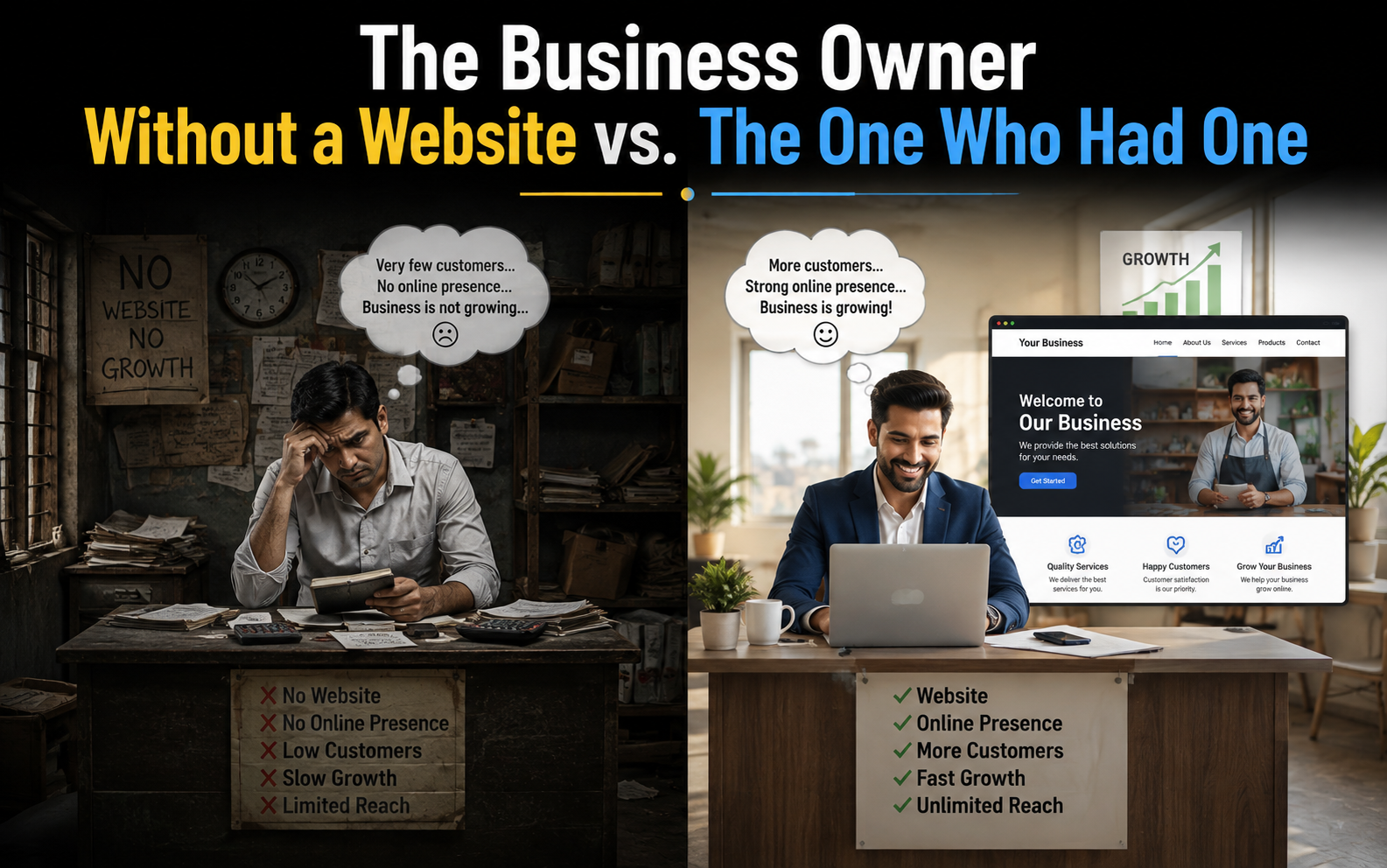
The Business Owner Without a Website vs. The One Who Had One
A Tale of Two Bakeries On the same street in a mid-sized town, two bakeries opened within a month of each other. Both owners were skilled bakers. Both had good locations, warm smiles, and a genuine love for their craft. But five years later, one of them was struggling to keep the lights on, while the other had opened a second location and was fielding orders from three neighboring cities. The difference wasn’t the bread. It wasn’t the price, either. It was a website – and, more specifically, what happened after one of them decided to build one properly. This is their story. Meet Daniel: The Baker Who Trusted Word of Mouth Daniel had spent fifteen years perfecting his sourdough before he finally opened “Daniel’s Hearth” on Miller Street. He believed, quite reasonably, that good bread sells itself. His regulars loved him. The smell of fresh loaves drew people in from the sidewalk every morning, and for the first two years, business was steady. But steady wasn’t the same as growing. When a food blogger asked if Daniel had an Instagram or a website she could link to, he laughed it off. “People know where to find me,” he said. “I don’t need any of that internet stuff.” He didn’t have a way to take online orders. He didn’t have a page where people could see his hours, his specials, or even confirm he existed before driving across town. If someone searched “bakery near me” on their phone, Daniel’s Hearth simply didn’t show up – while three competitors did. Slowly, the cracks started to show. A catering client who wanted to place a large wedding order couldn’t find any information online and assumed the bakery was too small to handle it, so she booked elsewhere. A young couple new to town searched for “best bakery in [town]” and found glowing reviews for a shop two blocks away – a shop that, frankly, wasn’t as good as Daniel’s, but was easy to discover. Foot traffic that once relied on word of mouth began to plateau, then slip, as fewer new customers discovered him and older regulars moved away or changed routines. Daniel didn’t understand it. His bread hadn’t changed. His prices hadn’t changed. But the way people searched for businesses had changed completely, and he hadn’t changed with it. Meet Renata: The Baker Who Took a Chance A few blocks away, Renata opened “Golden Crust” around the same time. She was every bit as talented as Daniel, but she had one nagging worry: she didn’t know how to reach people beyond her immediate neighborhood. A friend recommended she talk to a small technology studio that had just started making a name for itself – Elite Soft Tech. Renata was skeptical going in. “I’m a baker, not a tech person,” she told them during their first call. “I don’t even know what half of this stuff means.” The Elite Soft Tech team didn’t try to bury her in jargon. Instead, they asked simple questions: Who are your customers? What do they want to know before they walk through your door? What’s frustrating about how people find you today? From those conversations, they built Golden Crust a clean, fast-loading website. It had her menu, her hours, and photos that actually looked like her pastries – not stock images. It had a simple online ordering system so customers could reserve a custom cake without a phone call. It had a page dedicated to wedding and event catering, with real photos of real cakes she’d made, so brides could see her work before ever stepping inside. And critically, Elite Soft Tech optimized the site so that when someone nearby searched “bakery,” “custom cakes,” or “wedding catering,” Golden Crust actually appeared. Renata was hesitant about the cost at first. “Is this really going to be worth it?” she asked. “Give it three months,” the Elite Soft Tech project lead told her. “Then let’s look at the numbers together.” Three Months Later By the third month, Renata didn’t need convincing anymore. Her online order form alone was generating a steady stream of custom cake requests – people who had never walked past her shop but had found her through a search engine, a shared link, or a friend’s recommendation on social media that pointed straight to her site. A corporate office two towns over found her catering page and placed a standing weekly order for their breakroom. A bride-to-be messaged her directly through the website’s contact form after browsing her wedding cake gallery at midnight, unable to sleep and scrolling through ideas. None of that would have happened through foot traffic alone. Elite Soft Tech didn’t disappear after launch, either. They checked in monthly, showing Renata simple reports: how many people visited her site, which pages they lingered on, where they came from. When they noticed most visitors were browsing on their phones, they adjusted the site’s design so ordering was even easier on a small screen. When Renata mentioned she wanted to sell gift boxes for the holidays, they helped her add a seasonal ordering page in under a week. It wasn’t magic. It was infrastructure – the digital version of a well-lit, well-organized storefront that never closes, doesn’t get tired, and works even while Renata sleeps. The Gap Widens Two years in, the difference between the two bakeries had become impossible to ignore. Daniel’s Hearth still relied entirely on people physically passing by or already knowing about him. He’d occasionally get a customer who found him on a review site because someone else had mentioned him there, but he had no control over that story – no way to correct outdated hours, showcase new products, or capture someone’s attention before they chose a competitor instead. His revenue had flattened, and rising rent was starting to squeeze his margins. He began wondering, quietly, whether the business could survive another five years. Golden Crust, meanwhile, had expanded. Renata’s online orders now made up nearly forty percent
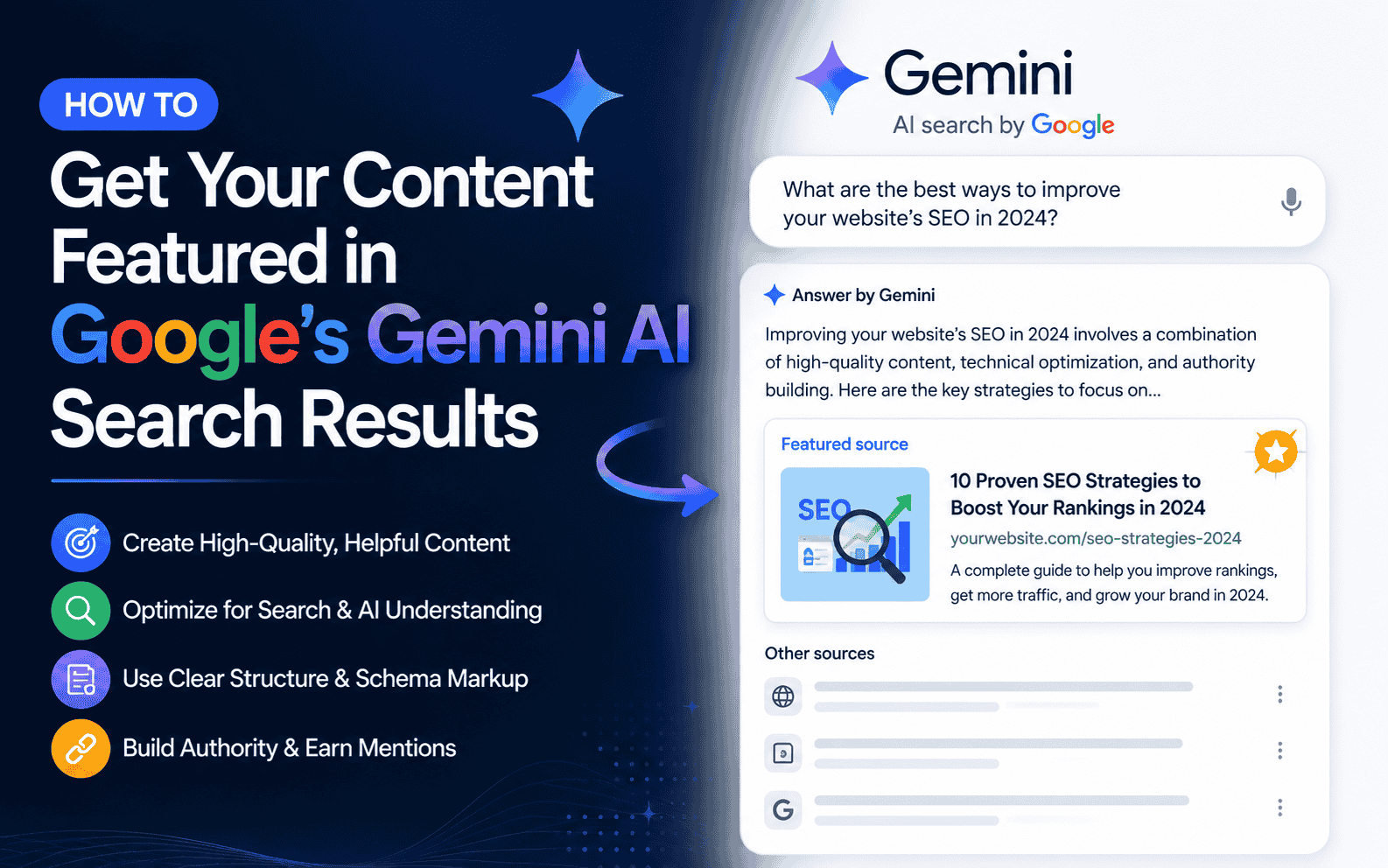
How to Get Your Content Featured in Google’s Gemini AI Search Results
Google Search has fundamentally changed. Powered by Gemini, its AI Overviews and AI Mode now appear on nearly “48% of all queries” – pushing traditional organic results below the fold and rewriting the rules of visibility. The good news? Brands that are cited inside these AI responses see conversions up to 5x higher than regular organic clicks. This guide breaks down exactly what it takes to get your content featured – based on the latest research and Google’s own official guidance. First: Understand How Gemini Picks Its Sources Before optimizing, you need to understand the mechanism. Google’s Gemini-powered features use two core techniques: – RAG (Retrieval-Augmented Generation): Gemini doesn’t generate answers from memory alone. It retrieves fresh, relevant pages from Google’s Search index in real time, then synthesizes a response – citing the sources it used. – Query Fan-Out: When you type a query, Gemini silently fires off a cluster of related sub-queries. For example, “best running shoes for flat feet” might fan out into “best cushioned running shoes,” “orthopaedic running shoes 2026,” and “how to choose shoes for overpronation.” Your content is only retrieved if it aligns with one or more of these fan-out variations – not just the original query. The implication: You’re not just optimizing for a keyword. You’re optimizing to be retrieved across a cluster of related intents. 1. Create Non-Commodity Content with a Unique Point of View This is Google’s single biggest piece of advice – and the research backs it up. Commodity content (“7 Tips for First-Time Homebuyers”) can be produced by anyone or any AI model. It adds little unique insight, and Gemini has plenty of sources to choose from instead of you. Non-commodity content (“Why We Waived the Inspection & Saved Money: A Look Inside the Sewer Line”) brings a unique expert or first-hand perspective that goes beyond common knowledge. Practical tips: Write from direct experience. First-hand reviews, case studies, and original data outperform aggregated summaries.– Include original statistics or research. Content featuring original data sees 30–40% higher visibility in AI responses.– Take a clear stance. Gemini is looking for authoritative perspectives, not neutral recaps.– Ask yourself: “Could a generative AI have written this without knowing what I know?” If yes, rewrite it. 2. Build Strong E-E-A-T Signals E-E-A-T – Experience, Expertise, Authoritativeness, Trustworthiness – is weighted more heavily in Gemini citations than in almost any other ranking context, because Google controls both the quality rating framework and the AI model that consumes it. How to demonstrate E-E-A-T: – Include clear author bios with credentials and relevant experience.– Link to authoritative external sources to support your claims.– Earn coverage and citations in established third-party publications. Research suggests 82–89% of AI citations come from third-party publications, not brand-owned content alone.– Keep content fresh. AI platforms cite content that is on average 25.7% fresher than traditional organic results. 3. Structure Your Content for Machine Extraction Gemini doesn’t just read your page – it scans it for extractable, quotable answers. LLMs are 28–40% more likely to cite content with clear formatting. Structure matters enormously. Best practices: – Use a clear heading hierarchy (H1 → H2 → H3). Each section should answer a distinct question.– Lead with a direct answer at the top of each section before expanding. Think of it as a TL;DR for every heading.– Use FAQ-style sections for question-based queries. FAQPage schema markup significantly boosts eligibility.– Write in short, scannable paragraphs – 2 to 4 sentences each.– Use numbered lists and bullet points for steps and comparisons.– Avoid burying your key insights deep in long blocks of prose. 4. Use Structured Data (But Don’t Overcomplicate It) There is no special Gemini-specific schema. Google has confirmed this. The structured data you implement for regular SEO is exactly what Gemini reads – with AI citation visibility as a downstream benefit. That said, the correlation between structured data and AI citation rates is significant. Third-party research suggests pages with structured data may see a +73% selection boost, with pages combining multimodal content and structured data seeing even higher lifts. Prioritise these schema types: – `FAQPage` – critical for question-answer content– `Article` / `BlogPosting` – establishes content type and authorship– `Organization` – builds entity authority– `HowTo` – strong for instructional content– `Product` / `Review` – for ecommerce and review content 5. Build Topical Authority, Not Just Individual Pages Gemini favours sources that demonstrate comprehensive topical coverage – not just a single well-ranked page. When the AI evaluates sources to cite, it favours sites that have addressed the full scope of a topic. How to build topical authority: – Develop content clusters: a pillar page covering the broad topic, supported by detailed articles on each subtopic.– Interlink all cluster pages with contextually relevant anchor text.– Cover semantic neighbours: if your topic is “AI SEO,” related pages should cover E-E-A-T, structured data, semantic SEO, AI Overviews, and so on.– Avoid leaving significant subtopics unaddressed – topical gaps reduce your cluster’s authority signal. 6. Go Beyond Your Website: Build Cross-Platform Presence One of the most surprising findings from 2026 research: 88% of Google AI Mode citations come from pages outside the organic SERP for the same query. Ranking on Google alone does not guarantee you appear in Gemini. Gemini also draws from high-authority third-party domains. As of early 2026, the most-cited domains across AI platforms include Reddit, LinkedIn, YouTube, Wikipedia, and Forbes. What this means for you: – Pursue earned media in publications Gemini trusts – industry blogs, news sites, trade publications.– Build a presence on LinkedIn – it rose to #1 for professional queries, with citation frequency doubling between late 2025 and early 2026.– Optimise your YouTube content – video is increasingly surfaced in Gemini responses.– Encourage genuine community discussion on Reddit and niche forums.– Aim for consistent entity corroboration: your brand/product/name should appear with the same factual signals across multiple independent sources. 7. Meet the Technical Fundamentals No amount of great content helps if Gemini can’t access or index your pages.– Ensure crawlability: Gemini uses publicly accessible,
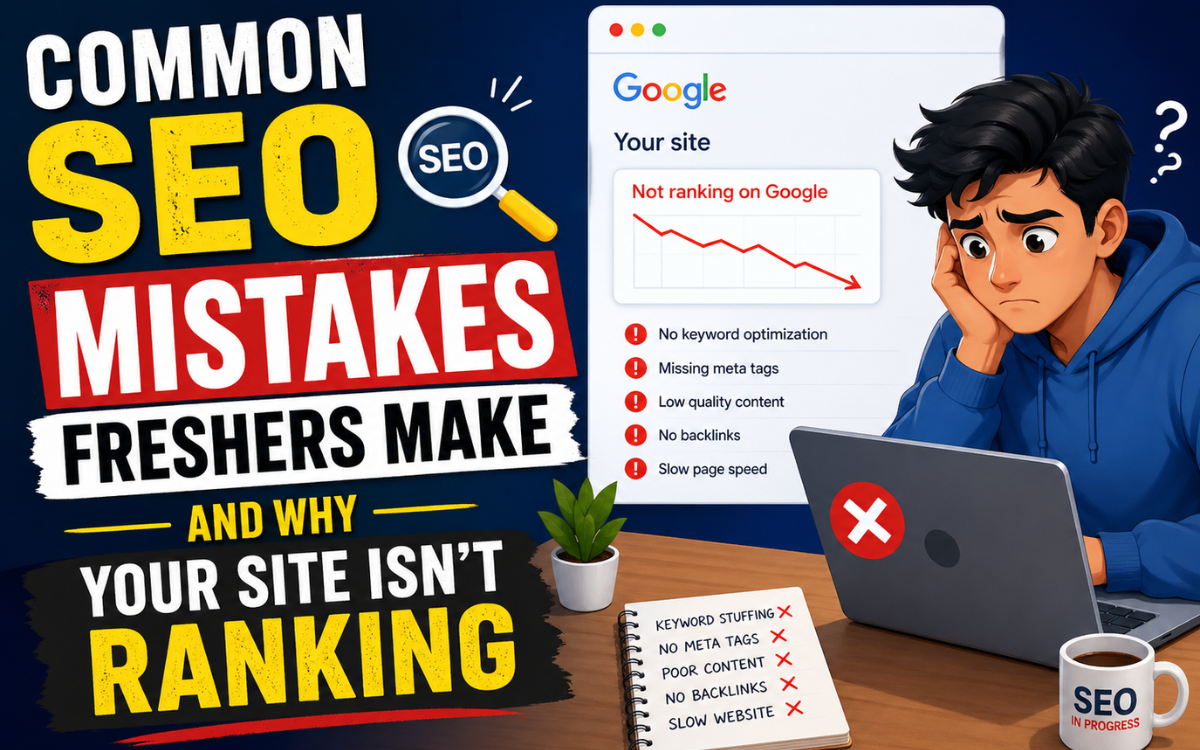
Common SEO Mistakes Freshers Make, And Why Your Site Isn’t Ranking
You built the website. You published the content. You waited. And yet, Google seems to have completely ignored you. Sound familiar? If you are just starting out in SEO, you are almost certainly making at least a handful of the common SEO mistakes that hold millions of websites back from ranking. This guide breaks them all down, and more importantly, shows you how to fix them. 1. Ignoring Keyword Research Entirely The first and perhaps most damaging of all common SEO mistakes is skipping keyword research. Many freshers write content based on what they think people search for, not what they actually type into Google. Without keyword data, you are essentially writing into a void. Keyword research tells you exactly what your target audience is looking for, how often they search for it, and how competitive those queries are. Without this foundation, even beautifully written content will never reach the right people. Fix: Use free tools 2. Targeting Keywords That Are Too Competitive A new website trying to rank for “best smartphones” or “digital marketing” is like a local bakery trying to compete with McDonald’s on the first day of opening. Freshers often aim too high, targeting broad, high-volume keywords dominated by authoritative sites with thousands of backlinks. A brand-new website has almost zero domain authority. Ranking for competitive head terms within the first year is extremely rare without significant resources. The smarter play is to target long-tail keywords, specific, lower-competition phrases like “best budget smartphone under 15000 in India 2026.” These are easier to rank for and often convert better because the searcher’s intent is more specific. Fix: Start with long-tail, build authority, scale up 3. Writing Thin, Shallow, or Duplicate Content Google’s algorithms are sophisticated enough to evaluate the depth and quality of your content. Publishing 300-word blog posts that skim the surface of a topic is one of the most common SEO mistakes in 2024. Thin content provides little value to the reader and little signal to the search engine. Even worse, some beginners copy content from competitor websites and republish it. Duplicate content, whether copied from others or duplicated across your own site, confuses search engines and can result in ranking penalties. 4. Missing On-Page SEO Fundamentals On-page SEO is the foundation that tells search engines what your content is about. Freshers frequently publish pages without the basic signals in place, and then wonder why they are not ranking. Every page you publish needs these non-negotiables properly configured before it has a real chance of ranking. ✓ On-page checklist for every page 5. Neglecting Technical SEO Many beginners focus entirely on content while ignoring the technical infrastructure that allows Google to crawl and index their site properly. If Googlebot cannot access your pages, your content simply will not exist in search results. A broken sitemap, a misconfigured robots.txt, or noindex tags left by accident can prevent your entire website from appearing in Google, even after months of publishing. 6. Ignoring Mobile Optimisation Google now uses mobile-first indexing, which means it primarily uses the mobile version of your site to determine rankings. A website that looks great on desktop but breaks on mobile will suffer significantly in search results. With over 60% of global web traffic now coming from mobile devices, this is no longer optional. Test your site on multiple screen sizes, ensure font sizes are readable, buttons are tappable, and there is no horizontal scroll. Use Google’s free Mobile-Friendly Test to identify issues quickly. 7. Poor or Non-Existent Internal Linking Internal links, links from one page on your site to another, serve two critical purposes: they help Google discover and crawl your content, and they distribute page authority across your site. Yet internal linking is consistently one of the most overlooked common SEO mistakes among new website owners. When you publish a new article, link to it from existing related posts. Use descriptive anchor text (not just “click here”) that tells both users and search engines what the linked page is about. A well-structured internal linking strategy can significantly boost the visibility of your most important pages. 8. Not Building Any Backlinks Backlinks — links from other websites pointing to yours -are one of Google’s most important ranking signals. They act like votes of confidence from the web. A site with zero backlinks will struggle to rank for anything competitive, no matter how good the content is. You do not need to resort to spammy link schemes. Start with these legitimate, beginner-friendly link-building methods: 9. Expecting Results Overnight Perhaps the most emotionally crushing of all common SEO mistakes is the expectation of fast results. SEO is a long-term strategy. A brand-new website can take 3-6 months to begin seeing meaningful organic traffic, and 12–18 months to establish real authority in competitive niches. Freshers who do not see results in 30 days often give up, or pivot to paid ads without understanding organic fundamentals. This impatience is what separates those who eventually succeed in SEO from those who don’t. Stay consistent. Publish quality content regularly. Build links steadily. The results compound over time – and once they arrive, organic traffic is one of the most cost-effective channels available. 10. Ignoring Analytics and Search Console Data Publishing content without tracking its performance is like driving blindfolded. Google Search Console and Google Analytics are free tools that provide invaluable insights – yet many freshers either do not set them up, or set them up and never look at them. The Bottom Line SEO success for beginners is not about magic tricks or gaming the algorithm. It is about avoiding the common SEO mistakes outlined above and consistently doing the fundamentals well. Start with solid keyword research, create genuinely helpful content, fix your technical foundations, build backlinks patiently, and track your results. Do this consistently over 12–18 months and your website will rank – it is not a question of if, but when. The websites that rank on Google’s first page are not there by accident. They are there because someone did the work, avoided the shortcuts, and played the
Why LLM Is Important for Websites: Benefits for SEO, Content & Traffic
Due to advances in LLM technology, the digital landscape is rapidly changing, and as such, it is imperative to understand what LLMs are and how they can help your online presence, as this type of technology can enhance any digital property. LLMs will transform websites in every way, from improving search engine rankings to generating superior content to driving organic traffic to sites. In this blog, we will discuss why LLMs are important for websites and how they can be used by you to outperform competitors. What Is a Large Language Model (LLM)? The Large Language Models can be defined as artificial intelligences that have been created using a large amount of content, such as written text or a collection of texts, trained using a deep network architecture known as transformers. The transformer network was developed by Google in 2017 and has become a strong foundation upon which to build other AI applications. Through the learning of language structures and reminiscent patterns within written language, LLMs can produce, translate, summarize and understand huge volumes of written texts with above average accuracy. Google Cloud states that these models are trained on billions of pieces of written text and are highly adaptable due to the fine-tuning capabilities available after initial training for a variety of tasks, such as writing content, translating materials into another language, analysing the overall sentiment of a document/communication or answering questions via a written format. A great example of the current generation of multimodal LLMs is Gemini, developed by Google due to its ability to process and understand written texts, images, videos, and code concurrently. For website owners, this means one thing: access to a technology that can fundamentally improve how your site communicates, ranks, and converts. LLM and SEO: A Game-Changing Relationship Search Engine Optimisation (SEO) is the cornerstone of organic website growth. LLMs are transforming SEO in several powerful ways: 1. Semantic Search Optimisation Modern search engines like Google do much more than just match your keywords; they understand what your intent is. LLMs (Large Language Models) provide semantic knowledge, which helps search engines to understand what someone is searching for or looking to accomplish. When you create content based on how LLMs perform their analysis, it causes you to write in a manner that is compatible with how the search engine measures relevance and context, as well as intent. Therefore, you will get better rankings without having to use keyword stuffing. 2. Automated Meta Descriptions and Title Tags LLM-based applications quickly create great SEO-optimised title tags as well as meta descriptions for hundreds of pages in an instant. You will not need to do this manually, which saves you time, and every one of your website’s pages will be better optimised for search engines. Previously, this was a difficult job that took a long time to do properly and inconsistently. 3. Keyword Clustering and Topic Modelling LLMs excel at analysing large volumes of keyword data and grouping them into topic clusters. This allows SEO teams to build authoritative content pillars that cover a subject comprehensively — a structure that search engines reward with higher rankings and improved domain authority over time. 4. Voice Search and Conversational Query Optimisation As voice search becomes more common, users are increasingly using everyday, casual language to make inquiries. Since large language models use human language patterns to generate their outputs, they enable you to produce content that is similar to how people talk. Having your website be similar in content to how people speak increases the chances that it will show up in voice searches and be included in featured snippets. How LLMs Supercharge Website Content Creation Web traffic is generated by the content itself-this is what keeps your audience engaged (by providing them with what they want), creates credibility for your company, and establishes you as an authority in your industry. Here’s how LLMs can help content teams to achieve the above objectives: Faster Content Production at Scale One of the most immediate benefits of LLMs is the ability to produce large volumes of high-quality content quickly. Blogs, product descriptions, landing page copy, FAQs, and social media posts can all be drafted in a fraction of the time it would take a human writer alone. This allows businesses to maintain a consistent publishing schedule, which is critical for both audience retention and SEO performance. Personalised Content Experiences LLMs make personalisation scalable. By analysing user behaviour data, an LLM-powered system can generate or recommend content that is tailored to an individual visitor’s interests, purchase history, or browsing patterns. Personalised content dramatically improves engagement metrics such as time-on-site, pages-per-session, and conversion rates. Multilingual Content Without Extra Cost Typically, expanding your site to reach foreign markets has taken significant investment in employing translation teams. Because of LLMs, however, you can get nearly human-quality translated text for dozens of languages at minimal cost. This means there are whole new markets available to you and significantly larger audiences for everyone who uses a website. Content Repurposing and Summarisation LLM can convert long-form blog posts to a summary or a social media thread or an email newsletter, or a video script automatically using AI-based technology. Thus, you will be able to derive maximum use out of each piece of content produced by your team, as you will have repurposed that single body of work into multiple formats. LLMs and Website Traffic: Driving Sustainable Growth Ultimately, the goal of every website improvement is to attract more of the right visitors. LLMs contribute to traffic growth in several direct and indirect ways: Google Cloud’s LLM Ecosystem: Enterprise-Ready AI for Websites The Google Cloud AI platform is one of the largest and most enterprise-focused providers of LLM capabilities available today. Different LLMs are available, such as Gemini, a next-generation multimodal LLM with the best-in-class reasoning and generation capabilities. Google Cloud provides a variety of LLM services, such as creating intelligent chatbots using the Vertex AI Agent Builder and deploying conversational AI using the Customer Engagement Suite,